Explore three powerful solutions designed to streamline and scale your operations. Whether you need seamless system integrations, advanced inventory and ecommerce control, or custom portals to digitise workflows, Exsited delivers modular capabilities that connect with the tools you already use.
Exsited is your integration-first operations platform, built to unify your tools, streamline workflows, and support the way your business runs. Choose the capabilities you need. Connect the systems you trust.
Multi-Channel Inventory Troubleshooting Guide: Fix Overselling and Sync Failures Fast
TL;DR: When you discover overselling on multiple channels or inventory not syncing across channels, you need immediate diagnostic procedures and fixes, not architectural theory. This guide provides emergency triage steps (0-15 minutes), root cause diagnostics (15-60 minutes), and prevention strategies to stop it happening again.
The Discovery Moment Nobody's Ready For
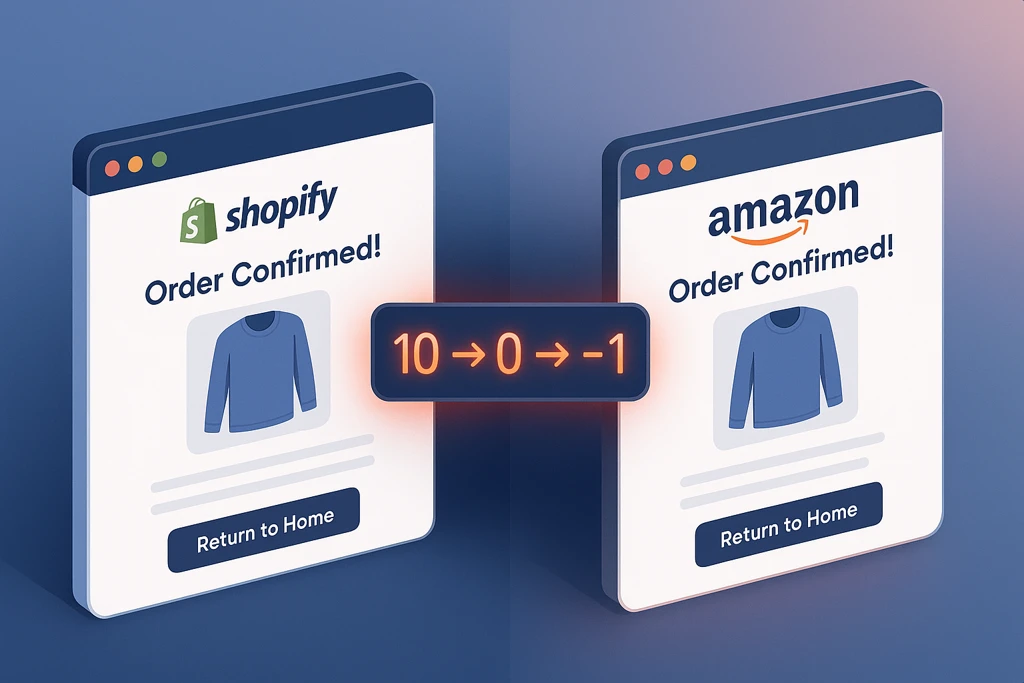
It's 7am. You're checking yesterday's orders before the morning meeting. Shopify shows you sold 47 units of your best-selling product. Amazon shows 31 units. Square POS shows 18. Your warehouse inventory count shows 12 physical units. The math doesn't work, and you've got 96 order confirmations sent to customers for a product you only had 12 units of.
Or maybe it's the inverse: You know you have 85 units in the warehouse, but all three channels are showing "out of stock" and you're missing sales. Inventory not syncing across channels properly means either overselling chaos or lost revenue from phantom stockouts.
This guide gives you diagnostic procedures and immediate fixes when you're already in the middle of a crisis. To learn why multi-channel inventory management breaks, see our complete guide to multi-channel inventory management.
Emergency Triage: First 15 Minutes
Before diagnosing root causes, stop the immediate bleeding. Follow this sequence:
Step 1: Verify Physical Reality (2 minutes)
Log into your warehouse management system or call your warehouse manager. What do you physically have? This is your source of truth. Everything else is data.
Action: Get actual physical count for the problem SKU(s). Write this number down. This is the baseline.
Shopify: Products → Select product → Set inventory to 0 or mark "out of stock" Amazon Seller Central: Inventory → Manage Inventory → Edit → Set quantity to 0 Square: Items → Select item → Stock → Set to 0
Reality check: Yes, this means lost sales for the next hour. But it's better than sending 50 more apology emails and paying for emergency freight.
Step 3: Identify Which Orders Can Actually Fulfil (5 minutes)
Sort orders by timestamp. Match against your physical inventory count. Draw the line where you run out of stock.
Orders before the line: Can fulfil Orders after the line: Cannot fulfil (require customer contact)
Step 4: Make the Customer Service Call (3 minutes)
Alert your customer service team immediately. Give them:
How many orders are affected
Which channels are involved
Your timeline for resolution
Approved response template
Script template: "We discovered an inventory sync error affecting orders placed between [time] and [time]. We're investigating and will contact affected customers within [timeframe] with options."
Root Cause Diagnostics: Understanding What Actually Broke
Now that the immediate crisis is managed, diagnose what caused it. The failure pattern determines the fix.
Diagnostic Flowchart: Follow This Logic
Question 1: Are all channels showing incorrect inventory, or just some?
All channels wrong: Problem is likely at the source (warehouse system, master inventory)
Some channels wrong: Problem is in the sync between channels
Question 2: When did the discrepancy start?
Recent (last 24 hours): Look for configuration changes, API updates, or high-volume events
Question 3: Is inventory higher or lower than reality?
Higher (channels show more than physical): Overselling risk. Failed reservation logic or sync lag
Lower (channels show less than physical): Lost sales. Phantom reservations or failed release
Question 4: Does the error affect all SKUs or specific products?
All products: System-wide sync failure, API credentials, or rate limiting
Specific products:
Product-specific configuration (bundles, variants, kitting)
Common Failure Modes and Platform-Specific Fixes
Failure Mode 1: Race Condition Overselling
Symptom: Two channels sell the last unit(s) simultaneously. Both orders confirmed.
Root cause: No real-time reservation. Channels sync inventory on polling intervals (every 5-15 minutes). In the gap between syncs, multiple channels can sell the same unit.
Shopify-specific diagnostic:
Go to Settings → Notifications → Order notifications
Check timestamps of order confirmations for the problem SKU
If multiple confirmations within a 5-minute window = race condition
Fix for Shopify + Amazon:
Short-term: Reduce sync frequency if possible (check your connector settings)
Long-term: Implement reservation-based inventory system that holds stock at cart-add, not just at checkout
Amazon Seller Central diagnostic:
Reports → Fulfilment → Inventory Event Detail
Filter by SKU and date range
Look for "Inventory Adjusted" events that don't align with actual sales
Fix for Amazon FBA:
Separate FBA inventory tracking from merchant-fulfilled channels
Never let Shopify or Square sell from your FBA allocated quantity
Track FBA as a separate "warehouse location" in your system
Square POS diagnostic:
Items → Item name → Stock History
Review stock adjustments and transaction timestamps
Look for negative adjustments that created overselling
Fix for Square:
Enable "Warn when selling out of stock items" in Square settings
If using Square for offline sales, consider "reserved for in-store" inventory pool
Failure Mode 2: Sync Lag and Timing Gaps
Symptom: Inventory changes on one channel don't appear on others for 15-30 minutes. By the time sync runs, damage is done.
Root cause: Polling-based sync on long intervals + high order velocity = guaranteed gaps.
Platform-agnostic diagnostic:
Make a test inventory change on Channel A (adjust by unusual amount, like +7 or -13)
Time how long until that exact change appears on Channel B and C
If delay is >5 minutes during business hours = sync lag problem
Shopify API diagnostic: Check your sync tool's API call logs. Look for:
Rate limit errors (HTTP 429 responses)
Throttling warnings
Failed webhook deliveries
Fix approaches by scenario:
If using native Shopify apps:
Most have fixed sync intervals you cannot change
Consider upgrading to middleware solution with faster polling
If using middleware (Celigo, Boomi, etc.):
Check sync schedule configuration
Look for API rate limit hits in logs
Adjust sync frequency vs. rate limit balance
If using custom integration:
Implement webhook-based real-time updates instead of polling
Add exponential backoff for retry logic
Monitor API rate limit usage (stay under 80% of limit)
Failure Mode 3: Failed Reservation Release
Symptom: Inventory shows lower than physical reality. Products appear out of stock when you have plenty. Lost sales from phantom reservations.
Root cause: Shopping cart reservations or "pending payment" holds never released when customers abandon carts or payments fail.
Shopify diagnostic:
Analytics → Reports → Cart analysis
Check abandoned cart rate and timing
If high abandonment + inventory discrepancy = likely unreleased reservations
Fix for Shopify:
Check your inventory app's reservation timeout settings
Standard should be 10-15 minute hold on cart items
Ensure abandoned carts trigger inventory release
Amazon diagnostic:
Check "Unavailable" inventory in Seller Central
Filter by reason code
Look for "Reserved" or "Pending" status that's aged >24 hours
Fix for Amazon:
Pending orders should auto-cancel after 30 minutes (Amazon default)
If not happening, contact Seller Support to reset reserved inventory
Square diagnostic:
No native reservation system for online orders
If seeing this issue with Square, likely third-party app causing holds
Failure Mode 4: Bundle and Variant Mapping Errors
Symptom: Selling a bundle or variant causes wrong inventory deduction. Selling "Red Shirt - Large" deducts inventory from "Blue Shirt - Medium."
Root cause: SKU mapping between systems doesn't account for variant structure or bundle components.
Shopify variant diagnostic:
Products → Problem product → Variants
Check if each variant has unique SKU
Verify SKU format matches exactly across all systems (case-sensitive, no extra spaces)
Test variant mapping with small quantity adjustments before going live
Bundle diagnostic:
Identify if product is sold as bundle on one channel but components on another
Check if inventory deduction happens at bundle level or component level
Verify all systems understand bundle = sum of components
Fix for bundles:
Define bundle as "assembly" or "kit" in your primary inventory system
Set bundle quantity = MIN(component1_qty, component2_qty, component3_qty)
When bundle sells, deduct all component quantities atomically
Platform-specific bundle handling:
Shopify: Use bundle apps that properly deduct component inventory Amazon: Use "Virtual Bundle" feature in Seller Central to link components Square: Create item variations or use third-party bundling apps
Failure Mode 5: Multi-Warehouse Confusion
Symptom: Total inventory is correct, but allocated to wrong warehouse. Orders routed to location that doesn't have stock.
Root cause: Multi-location inventory tracking without proper allocation rules.
Diagnostic across platforms:
List all inventory locations (warehouses, 3PLs, stores)
Check per-location stock levels for problem SKU
Verify which location is set to fulfil which sales channel
Fix for multi-warehouse:
Designate specific channels to specific warehouses (Shopify → Warehouse A, Amazon FBA → Warehouse B)
Never allow "any available" routing without allocation logic
Implement location-based inventory tracking in your master system
Shopify multi-location fix:
Settings → Locations
Assign specific locations to specific sales channels
Set "Priority" for fulfilment routing
Test with small order to verify correct warehouse picks the order
Platform-Specific Error Messages and What They Mean
Shopify Common Errors
"Inventory item not found"
Meaning: SKU exists in Shopify but not in your inventory sync tool
Fix: Re-map the SKU or create it in your inventory system
"Inventory could not be set"
Meaning: API permission issue or inventory already committed to order
Fix: Check app permissions, verify order fulfilment status
"This variant's inventory is not tracked"
Meaning: Inventory tracking is disabled for this variant
Fix: Products → Variant → Enable "Track quantity"
Amazon Seller Central Errors
"Stranded Inventory"
Meaning: Inventory exists in FBA but listing is suppressed
Fix: Resolve listing issues, then inventory becomes available
"Reserved inventory not releasing"
Meaning: Pending orders holding inventory without completing
Fix: Contact Seller Support to force release reserved units
"Inbound quantity discrepancy"
Meaning: Shipment received but quantity doesn't match expected
Fix: Reconcile with warehouse receipt, submit discrepancy case
Square Errors
"Inventory sync failed"
Meaning: API connection lost between Square and your inventory tool
Fix: Reconnect integration, verify API credentials haven't expired
"Stock level conflict"
Meaning: Multiple locations trying to update same SKU simultaneously
Fix: Designate one system as master, all others read-only
When to Escalate vs. Fix Yourself
Not every inventory issue should be DIY. Here's when to call in help:
Fix yourself if:
Single SKU affected
Clear diagnostic path from flowchart above
Error is recent (last 24 hours)
You have access to all platform settings
Escalate to vendor support if:
Multiple SKUs affected systematically
Error persists after following fix procedures
Sync tool itself is failing (not just misconfigured)
Fixing today's crisis is necessary. Preventing tomorrow's crisis is strategic.
Immediate Prevention (This Week)
Start by implementing inventory buffers across each channel. Never advertise 100% of your physical stock. Hold back 10-15% as a safety buffer for sync timing gaps, and increase that buffer for high-velocity products that move quickly during sales events. This simple cushion absorbs most timing-related overselling before customers ever see it.
Next, set up monitoring that catches problems before they become crises. A daily inventory reconciliation report comparing physical stock to system counts gives you early warning. Configure alerts to trigger when discrepancies exceed 5% or 10 units, whichever is smaller for each SKU. Flag negative inventory immediately so you can investigate before customers place orders you can't fulfil.
Document your sync intervals precisely. Know exactly when each channel syncs with your master inventory, both the time of day and the frequency. Schedule high-volume promotional events outside these sync gaps. If your Shopify-to-Amazon sync runs every 15 minutes starting at the top of the hour, don't launch flash sales at 2:03pm when you're in the middle of a sync gap.
If you find yourself manually reconciling inventory daily to prevent these failures, you're paying what we call the "manual reconciliation tax." Calculate The True Cost of Manual Inventory Management, including the opportunity cost of time spent firefighting instead of growing.
Medium-Term Prevention (This Month)
Standardise your SKU format across every platform. Choose one case convention (ALL CAPS or lowercase), one delimiter (dash or underscore), and stick to it religiously. Eliminate spaces and special characters entirely. Then test edge cases with unusual characters to find where systems might break before you scale.
Implement proper reservation logic if you don't have it already. Inventory should be held at cart-add, not just at checkout. Set time-bound reservations with 10-15 minute expiry windows, and ensure abandoned carts trigger automatic inventory release. This prevents the race conditions that cause most simultaneous overselling scenarios.
Run weekly test scenarios to verify your sync is working correctly. Place small test orders on each channel and verify that inventory deducts correctly across all platforms. Document response time and accuracy. If something breaks, you'll catch it during a controlled test rather than during a customer-facing sale.
Long-Term Prevention (This Quarter)
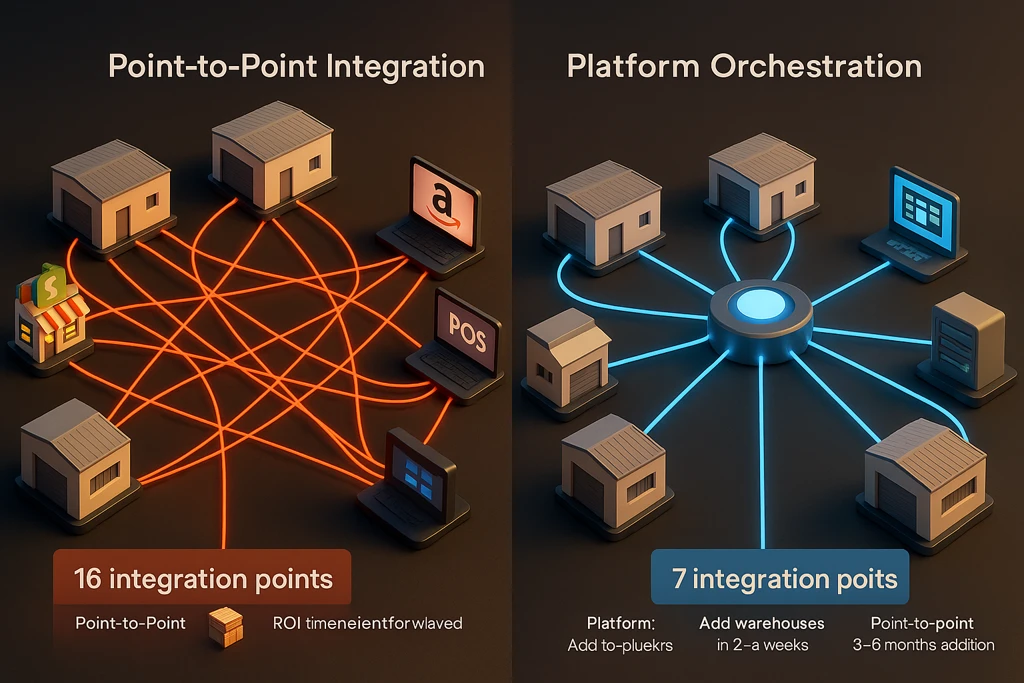
If you're experiencing these patterns repeatedly, the problem isn't execution. It's infrastructure. The point connectors and native apps that worked at 50 orders/day break at 200 orders/day.
Exsited Inventory addresses these failure modes architecturally:
When a customer adds to cart, Exsited reserves that quantity with a time-bound hold. Cart abandonment releases automatically, eliminating race conditions entirely. The event-driven architecture means inventory changes trigger immediate updates across all channels, removing the 15-minute polling gaps that cause most overselling scenarios.
Multi-warehouse routing is configurable based on customer location, shipping cost, or warehouse capacity, so orders route to the optimal location automatically without manual intervention. When sync does fail, field-level diagnostics show you exactly what data was sent, what transformation was applied, and where it failed. No black-box mysteries at 2am when you're trying to diagnose why Amazon and Shopify disagree.
Because Exsited Inventory is built on operations platform infrastructure, extending to B2B portals, approval workflows, or compliance reporting doesn't require separate projects. You're building prevention into the architecture, not bolting it on afterward.
Exsited Inventory addresses these failure modes architecturally:
If you've followed these diagnostic procedures and the problem persists, or if you're experiencing multiple failure modes simultaneously, it's time for architectural evaluation rather than tactical fixes. Our Multi-Channel Inventory Management guide covers the hub-and-spoke architecture, reservation logic, and platform selection that eliminates most of these failure patterns.
Book a workflow review to walk through your current inventory architecture, identify the specific failure patterns affecting your operations, and outline what proper infrastructure would look like for your business. We'll bring diagnostic experience from hundreds of implementations. You bring knowledge of your specific edge cases and requirements.
For businesses managing complex financial reconciliation, multi-entity operations, or compliance requirements that extend beyond inventory, see our complete guide to Shopify NetSuite integration for when inventory challenges extend into financial control and operational workflows.
Summary Checklist: What to Do Right Now
If actively experiencing overselling or sync failures:
Get physical inventory count (source of truth)
Pause sales on affected channels (prevent more damage)
Identify which orders can fulfilled vs. cannot
Alert customer service team with approved response
Follow diagnostic flowchart to identify failure mode
Apply platform-specific fix from guide above
Document what happened and when (for pattern analysis)
If concerned about preventing future failures:
Implement inventory buffers by channel (10-15%)
Set up daily reconciliation monitoring
Document sync intervals and timing
Standardise SKU formats across platforms
Test reservation logic (does it actually hold inventory?)
Schedule architectural evaluation if this is recurring
The goal isn't perfect inventory management—that doesn't exist in operational reality. The goal is catching discrepancies before customers do, diagnosing root causes quickly, and building infrastructure that prevents the same failure twice.
Multi-channel inventory creates genuine complexity. But that complexity can be managed with proper diagnostics, immediate fixes, and architectural prevention. The businesses thriving across multiple channels aren't lucky. They're operating with infrastructure and procedures that match their operational reality.
About the Author
Dominic McKay is a Business Analyst and Strategist for Exsited — an integration-first operations platform that helps growing businesses unify systems, manage inventory, and digitise compliance-heavy workflows. Dominic leads platform strategy and positioning, ensuring Exsited evolves with real customer needs across integrations, inventory management, and custom workflows. He holds an MBA (Digital) from Monash University and certifications in ECBA, PRINCE2, and Scrum. Formerly a retail business owner, he now advises SMEs on systems design and digital transformation.




.jpg.webp?20260919203839385+1000)